

How to Automate Your Business With AI: A Beginner’s Guide
Running a business involves countless repetitive tasks. From answering emails and scheduling meetings to creating content, organizing information, and following up with customers, many of these activities can consume hours every week.
Artificial Intelligence can help entrepreneurs automate part of this work and spend more time focusing on customers, strategy, and business growth.
The good news is that you don’t need to be a programmer or an AI expert to get started.
In this beginner’s guide, we’ll explain how to automate your business with AI, which tasks are worth automating first, and how to build simple AI-powered workflows.
If you’re new to AI, start with our beginner-friendly guide: [What Is Artificial Intelligence and How Can Entrepreneurs Use It in 2026?]

What Is AI Business Automation?
AI business automation means using artificial intelligence and software to perform repetitive tasks with little or no manual intervention.
Traditional automation follows predefined rules. AI-powered automation can go further by understanding text, generating content, analyzing information, and making suggestions based on data.
For example, instead of manually reading every customer email, an AI-powered workflow can analyze incoming messages, identify their purpose, and send the information to the appropriate system.
The goal isn’t to automate everything. The goal is to automate the right tasks.
Why Should Small Businesses Use AI Automation?
Small businesses often have limited time and resources. Automating repetitive work can help entrepreneurs focus on activities that require human judgment and creativity.
Some of the potential benefits include:
- Saving time
- Reducing repetitive manual work
- Improving response times
- Reducing human errors
- Creating more consistent workflows
- Allowing small teams to handle more tasks
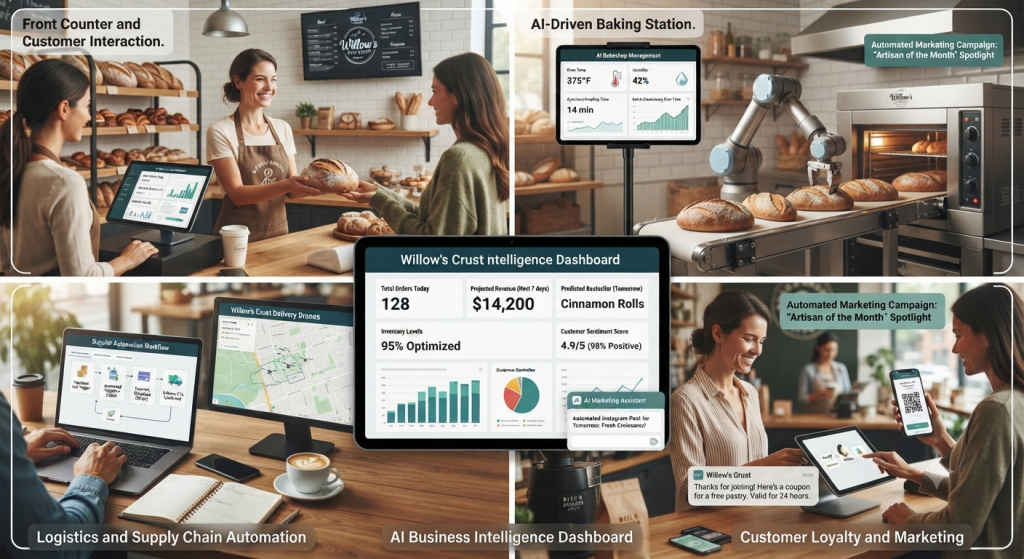
7 Business Tasks You Can Automate With AI
1. Email Management
Email can quickly become one of the biggest productivity drains for entrepreneurs.
AI can help categorize messages, summarize long conversations, draft responses, and identify emails that require immediate attention.
For example, a customer inquiry could automatically be classified as a sales question, support request, or general inquiry.
The entrepreneur can then review the suggested response before sending it.
Google Workspace offers several AI-powered features that can help businesses manage emails and other workplace tasks.
2. Customer Support
Customer service is another area where AI automation can save significant amounts of time.
AI chatbots can answer common questions, provide information about products or services, and direct customers toward the appropriate resources.
However, businesses should always provide an easy way for customers to reach a human when necessary.
Intercom provides AI-powered customer service solutions for businesses.
3. Social Media Content
Maintaining a consistent social media presence can be difficult for small businesses.
AI can help generate content ideas, write captions, repurpose existing content, and create content calendars.
Instead of creating every post manually, entrepreneurs can use AI to accelerate the first draft and then add their own voice and expertise.
Looking for more AI writing solutions? Check out our guide to the [Best AI Writing Tools in 2025].
4. Lead Management
AI can help businesses organize and qualify leads.
For example, when someone fills out a contact form, an automated workflow can collect the information, analyze the lead, add it to a CRM, and notify the sales team.
This reduces the amount of manual data entry required.
5. Document Processing
Businesses receive large numbers of documents, including invoices, contracts, reports, and forms.
AI can help extract information from these documents and organize it into structured data.
This can be particularly useful for businesses dealing with large volumes of paperwork.

6. Meeting Summaries
AI meeting assistants can transcribe conversations, summarize discussions, identify key decisions, and generate action items.
Instead of taking detailed notes during a meeting, team members can focus on the conversation and review the summary afterward.
7. Repetitive Data Entry
Data entry is one of the easiest areas to automate.
For example, information submitted through an online form can automatically be transferred to a spreadsheet, CRM, project management platform, or database.
This type of automation can save time and reduce manual errors.
How to Create Your First AI Automation
You don’t need to automate your entire business at once. A better approach is to start with one repetitive process and improve it gradually
Step 1: Identify a Repetitive Task
Start by making a list of tasks that you perform repeatedly every week.
Ask yourself:
“What task do I repeatedly do that doesn’t require my personal judgment?”
That task could be a good candidate for automation.
Step 2: Define the Trigger
Every automation needs a trigger.
For example:
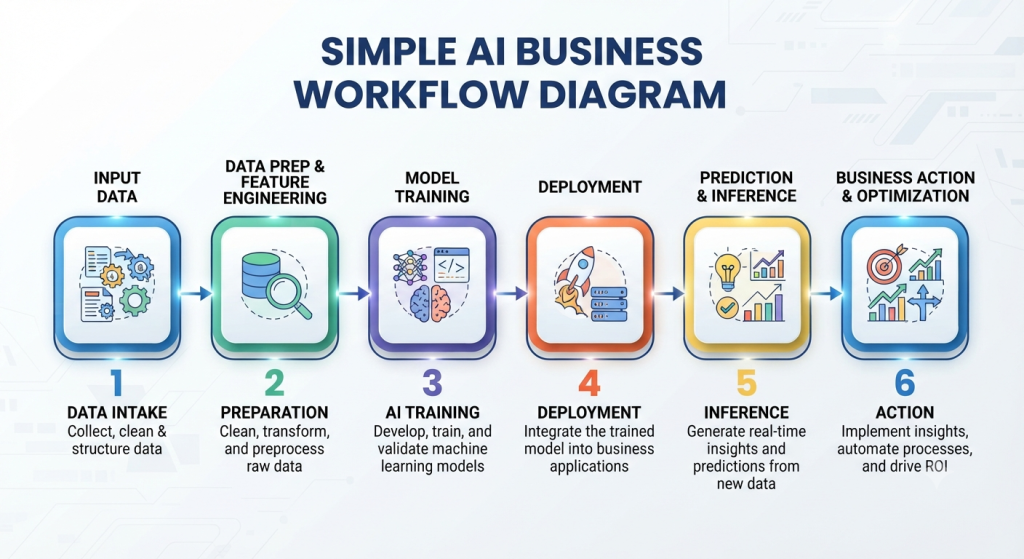
New customer email → AI analyzes email → information is categorized → notification is sent.
The trigger is the event that starts the workflow.
Step 3: Add AI
The next step is deciding where AI can add value.
AI could:
- Analyze text
- Summarize information
- Generate a response
- Classify data
- Extract information
- Create content
Step 4: Connect Your Applications
Automation platforms can connect different applications together.
For example:
Gmail → AI → Google Sheets → Slack
This means information can move between applications without requiring manual copying and pasting.
Zapier allows users to connect thousands of applications and create automated workflows without traditional programming
A Simple AI Automation Example
Imagine that you run a small consulting business.
A potential customer fills out your contact form.
Instead of manually processing the request, you could create the following workflow:
- Customer submits the form
- AI analyzes the message
- AI identifies the customer’s needs
- Information is added to a CRM
- A personalized email draft is created
- You receive a notification
- You review the email and send it
This workflow can reduce several manual steps to just a few clicks.
What Should You NOT Automate?
AI automation can be extremely useful, but automating everything isn’t always a good idea.
Some activities require human judgment, empathy, creativity, or accountability.
You should be particularly careful when dealing with:
- Sensitive customer information
- Financial decisions
- Legal decisions
- Important customer complaints
- High-value business relationships
- Confidential company information
AI should generally assist humans rather than blindly replace human judgment.
How to Keep AI Automation Safe
Before automating a business process, understand what information is being sent to each AI service.
Avoid uploading confidential information unless you understand how the service handles and protects your data.
You should also regularly review your automated workflows to make sure they are producing the expected results.
Frequently Asked Questions
Can I automate my business without coding?
Yes. Many modern automation platforms use visual interfaces that allow users to create workflows without traditional programming.
What is the easiest business task to automate?
Repetitive tasks such as email organization, data entry, notifications, scheduling, and document processing are usually good starting points.
Is AI automation expensive?
It depends on the tools and number of workflows you use. Many platforms offer free or low-cost plans that allow small businesses to test automation before investing more.
Can AI completely automate a small business?
AI can automate many repetitive processes, but most businesses still require human decision-making, creativity, customer relationships, and oversight.
What is the best AI automation tool for beginners?
There isn’t one universal solution. Tools such as Zapier and similar automation platforms can be good starting points because they connect multiple applications without requiring advanced coding skills.
AI automation doesn’t mean handing your entire business over to a machine.
The real opportunity is to identify repetitive tasks, automate the predictable parts, and keep humans involved where judgment and creativity matter most.
Start small. Choose one repetitive process, create a simple workflow, monitor the results, and improve it over time.
Ready to discover more ways AI can help your business?
Explore our Freelance & Biz section for more practical guides designed to help entrepreneurs work smarter and grow their businesses.